


Improve every team’s output with People Intelligence
You know your team is working. But how do they actually produce results? Insightful People Intelligence shows how your people work, and suggests changes to improve their output.


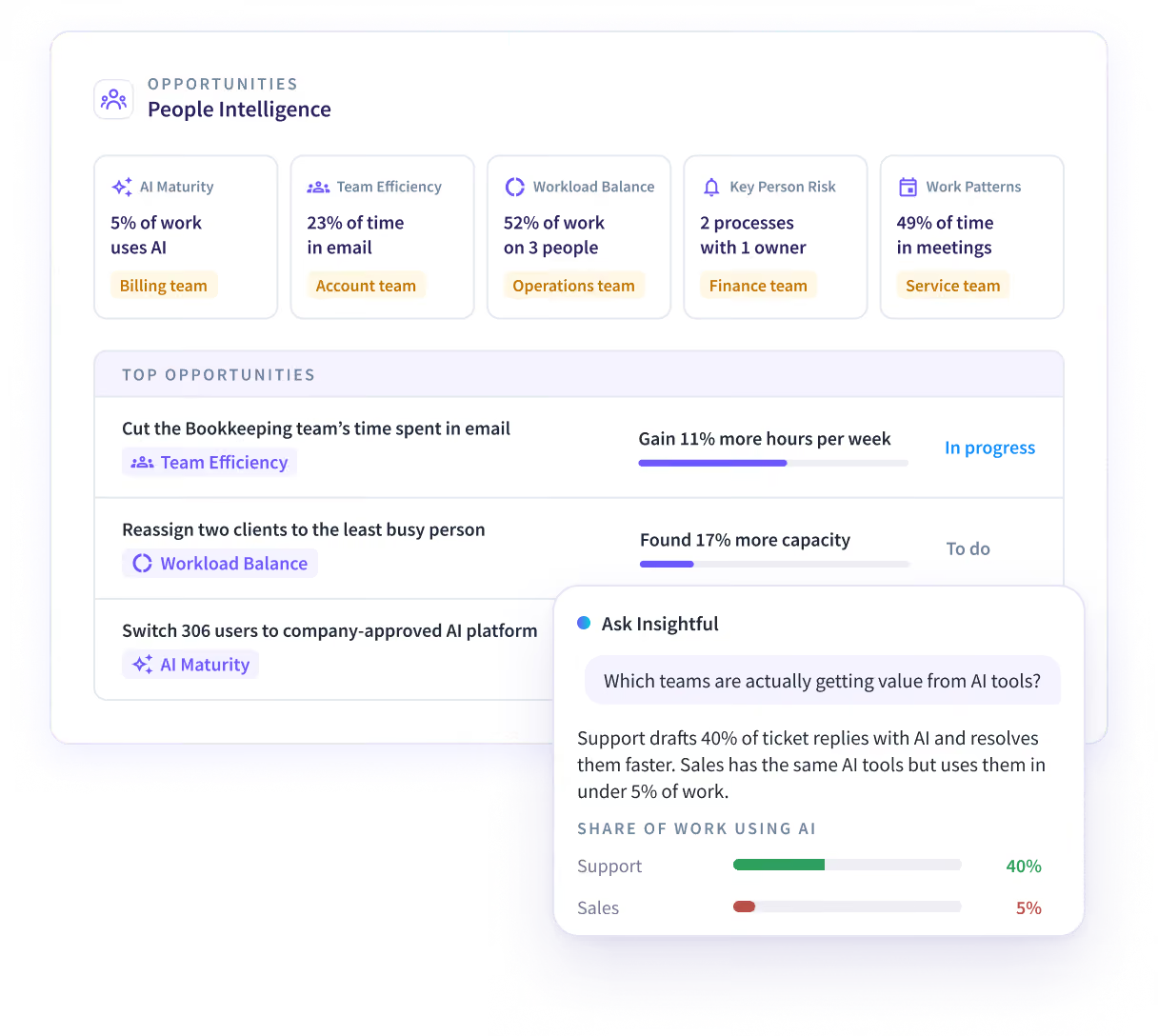


What you can do with People Intelligence
See how your people work, get opportunities to improve their output, and track whether each change worked.
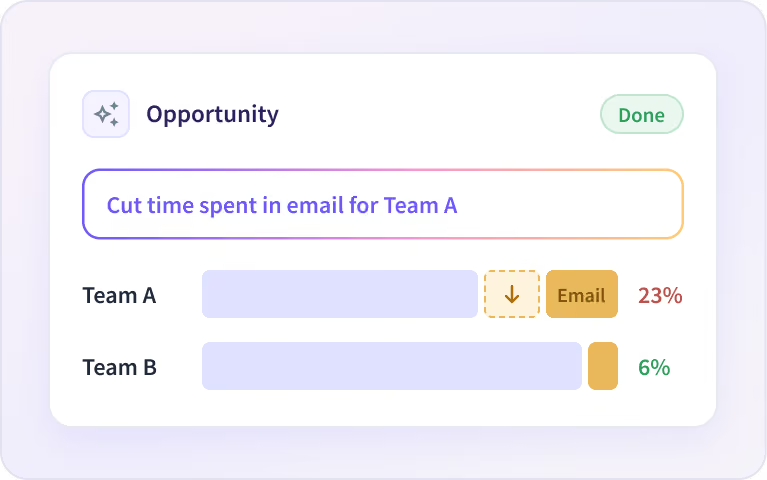
Find what to improve, then track it
Insightful tells you what to change in each team, shows you how, and tracks whether it worked.
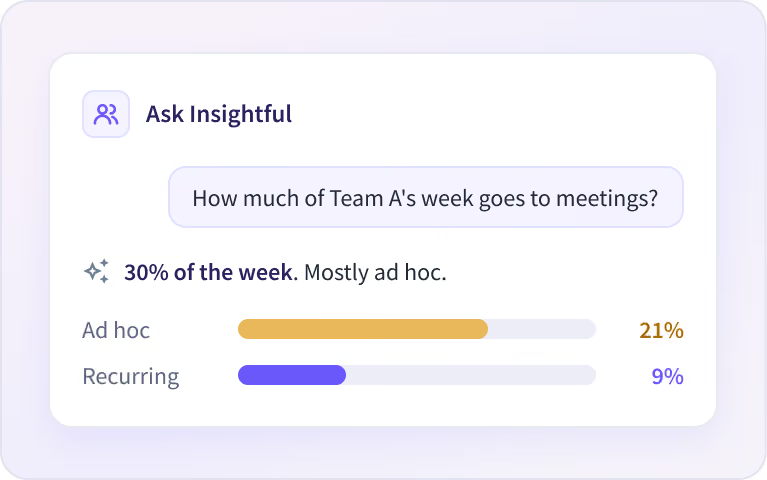
Ask what’s slowing your teams down
Ask Insightful anything, in your own words. It answers in seconds and shows the numbers behind it.
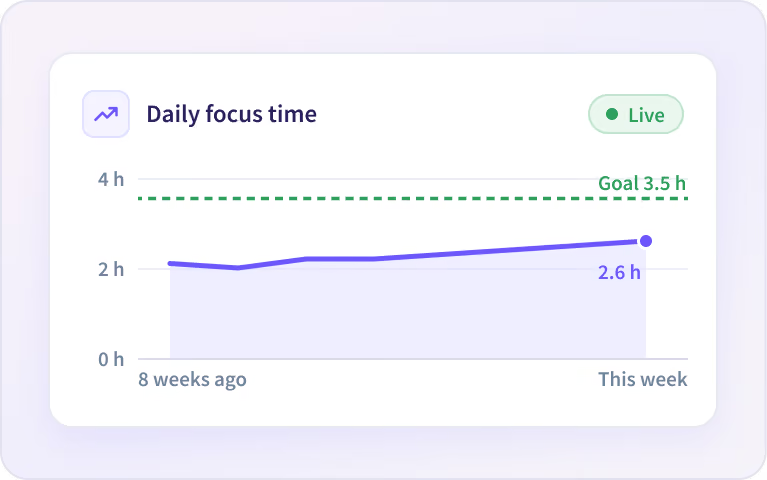
Turn any answer into a report
Insightful saves any answer as a report and keeps it up to date, so you see if a change is paying off.
Five People Intelligence use cases for improving output
Each one shows what’s happening in your teams and suggests what to change, with a target.

AI Maturity
We show what each person is doing with AI, and suggest what each person should do with AI to accelerate your goals.

Team Efficiency
We show how teams are working, and suggest how teams should work to get more done.

Workload Balance
We show what each person is spending time on, and suggest how to reorganize to maximize output.

Key Person Risk
We show whose work your company depends on, and suggest how to reduce that dependency.

Work Patterns
We show how each person spends the workday, and suggest ways to improve focus and execution.
Start with a Work Audit
Request a work audit and get your first opportunities in 14 days.
How People Intelligence works
We see which apps, sites and AI tools your people use, and how they use them. We map the work each person does, find opportunities to improve output, and track each one to its target.
What changes with People Intelligence
You see the hours that go in. People Intelligence connects that time to the work that comes out.


Built for Operations, HR, IT and Executives
Each leader starts with the question closest to their job.

Operations
Get more output from the teams you have, with the change that moves each team’s performance.

IT
See where software tools and AI are paying off in the work, and where to use AI next.

Human Resources
Plan workforce strategy from how work is spread across people. Even out the load where it matters most.

Executives
Decide where to focus first: more capacity, work aligned to value, or getting more done with AI.
How People Intelligence protects your people’s privacy
Insightful sees the apps, sites and AI tools your people use, and how they use them. It does not log content or capture keystrokes, messages and documents. We never use screenshots for processing or intelligence.


Integrate with the systems you already run
Connect your HR system for role and location, and tools like Jira, Asana or your ticketing system for the output each team delivers.


See how people work. Help them do it better.
Questions about People Intelligence
Short answers on what People Intelligence does, what it reads, what it never captures and how to start.
People Intelligence shows how people work and suggests opportunities to improve their output. It reads the work data the Insightful desktop app collects through five use cases: AI Maturity, Team Efficiency, Workload Balance, Key Person Risk and Work Patterns. Each opportunity says what we found, what to change, the steps to take, and a target to reach.
Workforce Analytics shows where the time goes: hours, apps, utilization and the AI tools in use. People Intelligence shows what that time turns into and suggests what to change. It runs on the same desktop app and includes everything in Workforce Analytics, so one department can move up while the rest of the company stays where it is.
No. We see the apps, sites and AI tools your teams use, and what they do in them. We never capture messages or documents. People Intelligence uses no screenshots or screen recordings. Teams are compared with similar teams doing the same work, and people with their own normal. We never claim how well anyone performs, who might leave, or how anyone feels.
Start with a Work Audit. We show your first opportunities on your own data within 14 days of deploying the desktop app. If you already use Insightful, People Intelligence is turned on for one department with a permission change. There is no free trial, and nothing to prepare: no surveys, task lists or workshops.
People Intelligence covers work done at a computer, on Windows, macOS and Linux: support, finance, operations, sales and other desk-based teams. It doesn't cover field, warehouse, store or driving roles, because there is no mobile app. Leaders in Operations, HR and IT usually start with it, each from the question closest to their job.
Activity tracking tools count time in apps. We connect it to the work that comes out. People Intelligence groups activity into the work each person does, connects it across people, teams and tools, and compares each team with teams doing the same work. You get a short list of changes to make, each with a target.
Every opportunity is built from your own work data and links to the data behind it. You can ask Chat why it was suggested. In the Work Audit, check us on a team you know well. If an opportunity doesn't fit, archive it and say why, and the next ones take that into account.
People Intelligence is part of the Insights plan, which includes Workforce Analytics, and the Intelligence plan, which adds Process Intelligence. Plans are priced per employee per month, and current prices are on our pricing page. To see what it finds before you decide, request a Work Audit.


